
CNVS 1.4.0 — Shorthand
Every agent now writes its own one-line headline, on-device. The command bar and ⌘K became one surface. Stage mode got a real sidebar and full keyboard control.
Running eight agents at once has always had the same problem: eight terminals scrolling, and no way to tell at a glance which one is doing what. Shorthand is the release that fixes that — and then removes the mouse from most of the ways you’d act on it.
Every agent tells you what it’s working on
CNVS now writes a short work title for each agent — “Command bar redesign”, “Auth token refresh” — from the request you actually made of it. Not the spinner verb, not the tool it’s currently running: the goal.
It runs on Apple’s on-device model. Nothing leaves your Mac, there’s no key to add, and there’s no per-request cost. On a Mac with Apple Intelligence off or on an older macOS, CNVS quietly falls back to the previous labels.
You see the titles in two places: press F for the fleet briefing and every card flips to its headline, and every agent row in the Stage sidebar carries one permanently.
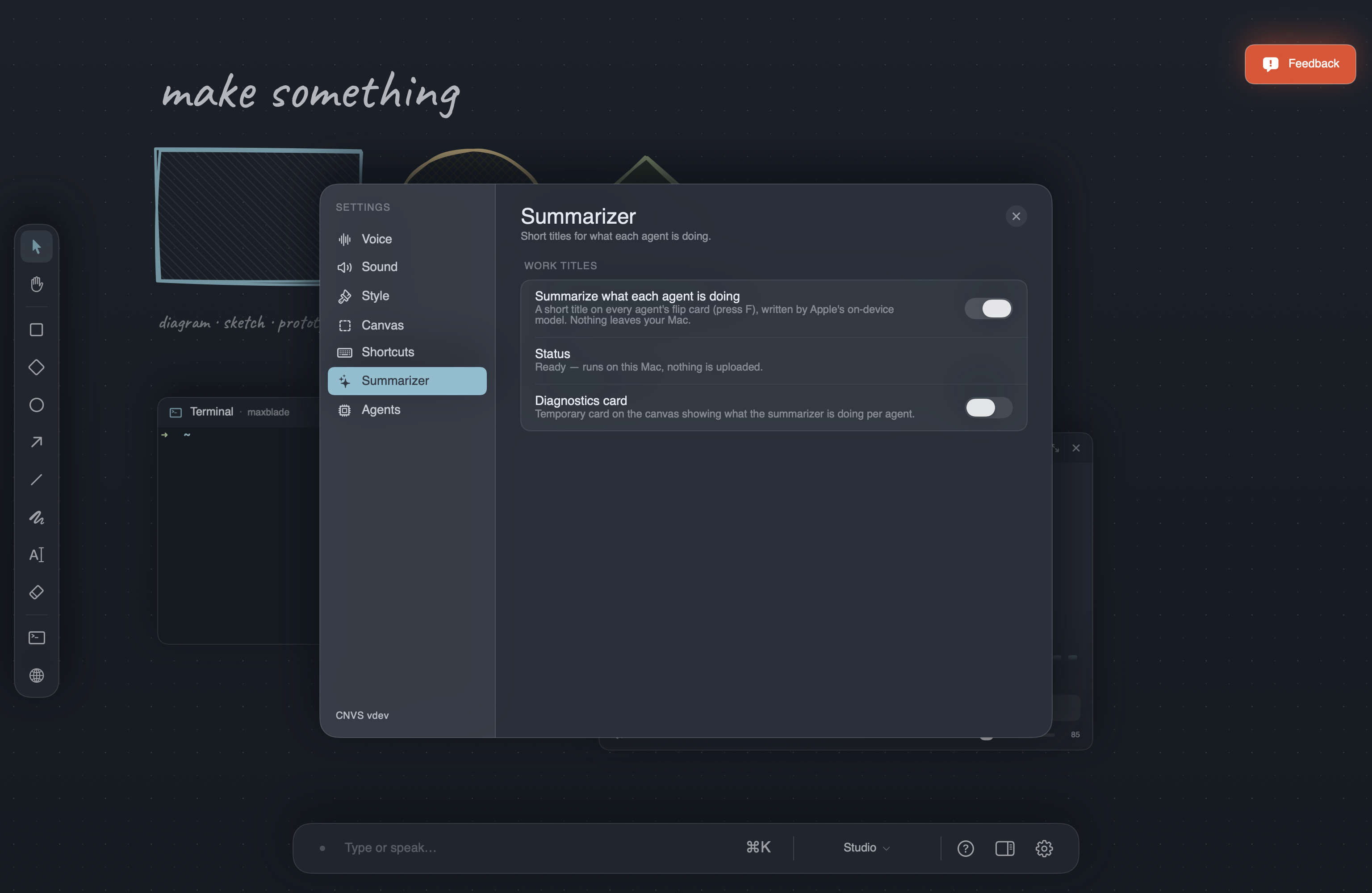
How to use: It’s on by default. Settings ▸ Summarizer has the toggle and tells you whether Apple’s on-device model is ready on this Mac.
One bar for everything
The command bar at the bottom and the ⌘K palette used to be two separate things that did overlapping jobs. They’re now a single element.
Start typing in the bar and it grows upward with ranked ⌘K results — best match nearest your cursor. Press ⌘K and the same bar opens in browse mode with the full list and the keyboard already in it. The centered modal is gone.
The bottom row is always “Do it” — your text sent straight through, exactly as ⏎ always worked. Short queries pre-select the best command; a full sentence pre-selects “Do it”, so “tell claude to fix the tests” is never hijacked into spawning something.
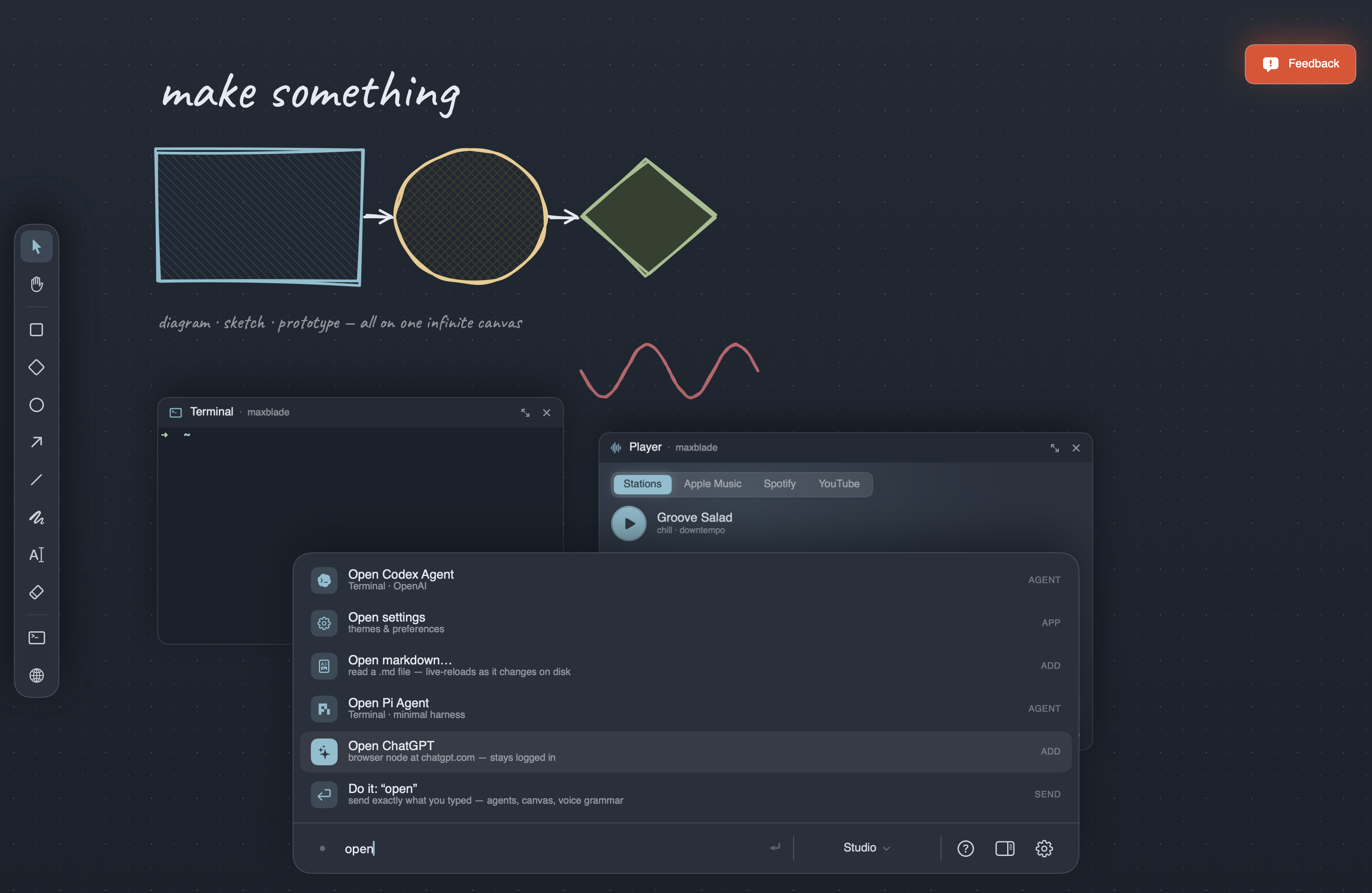
How to use: Just type. ↑/↓ to pick, ⏎ to run, Esc to step back out.
The Stage sidebar, rebuilt
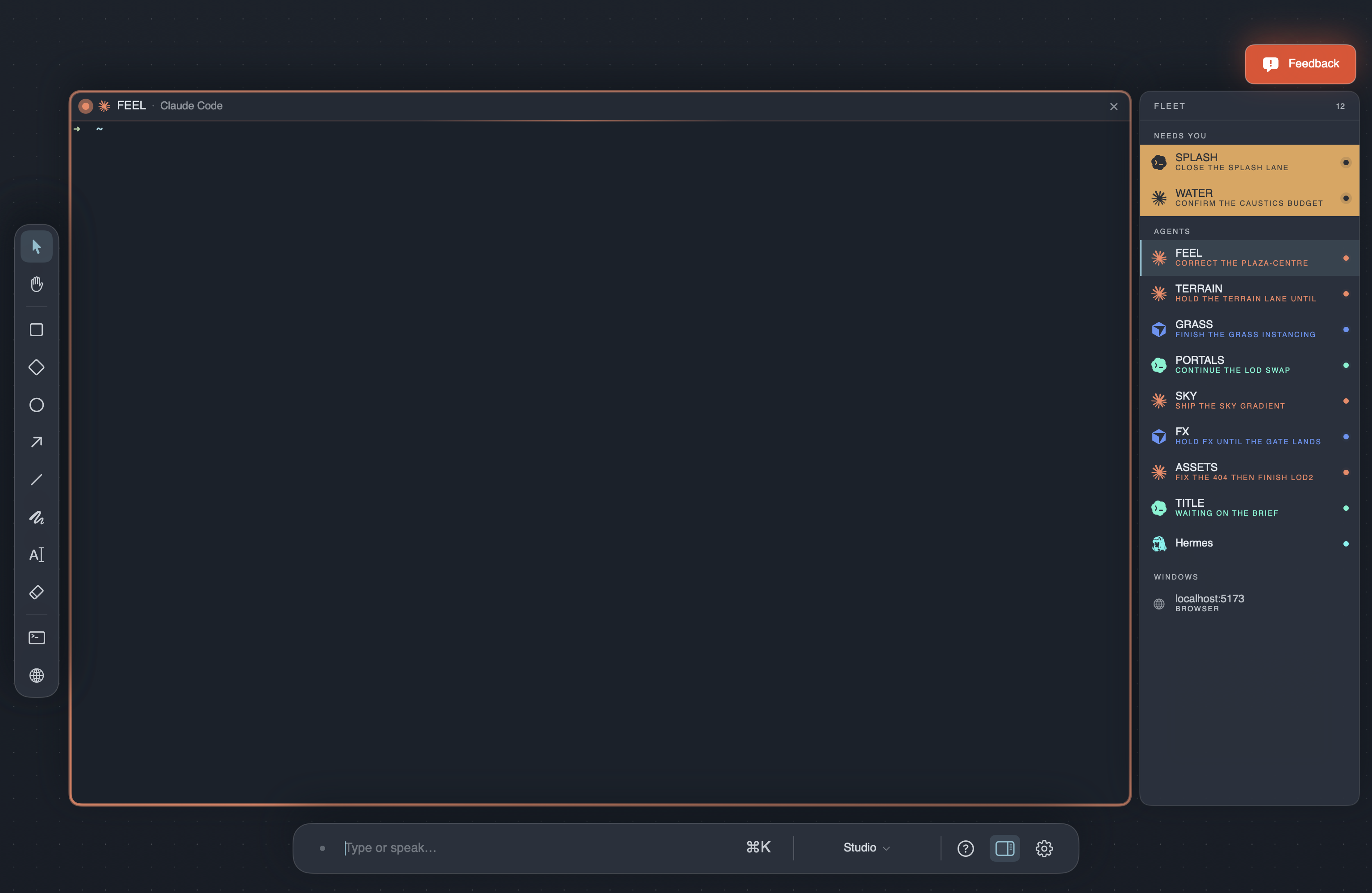
The Stage rail is now a flat, grouped sidebar: needs-you at the top, then agents, then windows. Each agent row is its brand logo, its call sign, and its work title in the agent’s own colour. Browsers, the music player, and other windows finally have their own group instead of being mixed in with your fleet.
Rows only move when something flips to needs-you. Nothing else reorders, so the sidebar stays a stable map of your canvas.
Stage mode, no mouse
- ⌘↑ / ⌘↓ — walk every sidebar row, windows included, wrapping at both ends.
- ⌘← / ⌘→ — cycle canvases, carrying the lens with you.
- ⌘0 grid · ⌘1–9 slots · ⌘J jump to whoever needs you · Esc steps down a level · ⌘⇧0 exits from anywhere.
Spawn an agent while Stage mode is up and it goes straight to the stage with the keyboard in it.
Added
- Tasks node — a live task list for the canvas: who’s working, what’s done, what’s blocked. Add it from ⌘K.
Fixed
- Switching canvases while Stage mode was live could leave a ghost browser page floating over the stage and sidebar, and canvas drawings or dropped images bled through the staged card and made it unreadable.
- Closing Grok Voice by saying “go to sleep” left it unable to reopen properly.
- ⌘←/→ and ⌘↑/↓ never fired on a real keyboard — arrow keys carry hidden modifier flags that the shortcut comparison rejected.
- ⌘↑/⌘↓ skipped window rows, stranding the browser and music player behind number keys.
- A Fleet lens over an empty canvas rendered a black void.
- Grok Voice named agents after the CLI it just opened (“Kimi”) instead of using your naming scheme.
- Music transport and volume commands now address whatever is actually playing, including a player on another canvas.
Improved
- Agent status was rebuilt around what a harness can honestly report — idle, working, needs you — instead of guessing from screen output and timers. Fewer agents stuck on “working” after they’ve finished, no more false “done” during a long silent tool run.
- Sidebar legibility is now AAA on every theme, including the video-backed glass ones.
Shorthand is about the gap between running a lot of agents and actually knowing what they’re doing. The titles close it; the command bar and the keybinds make acting on what you see a single keystroke.